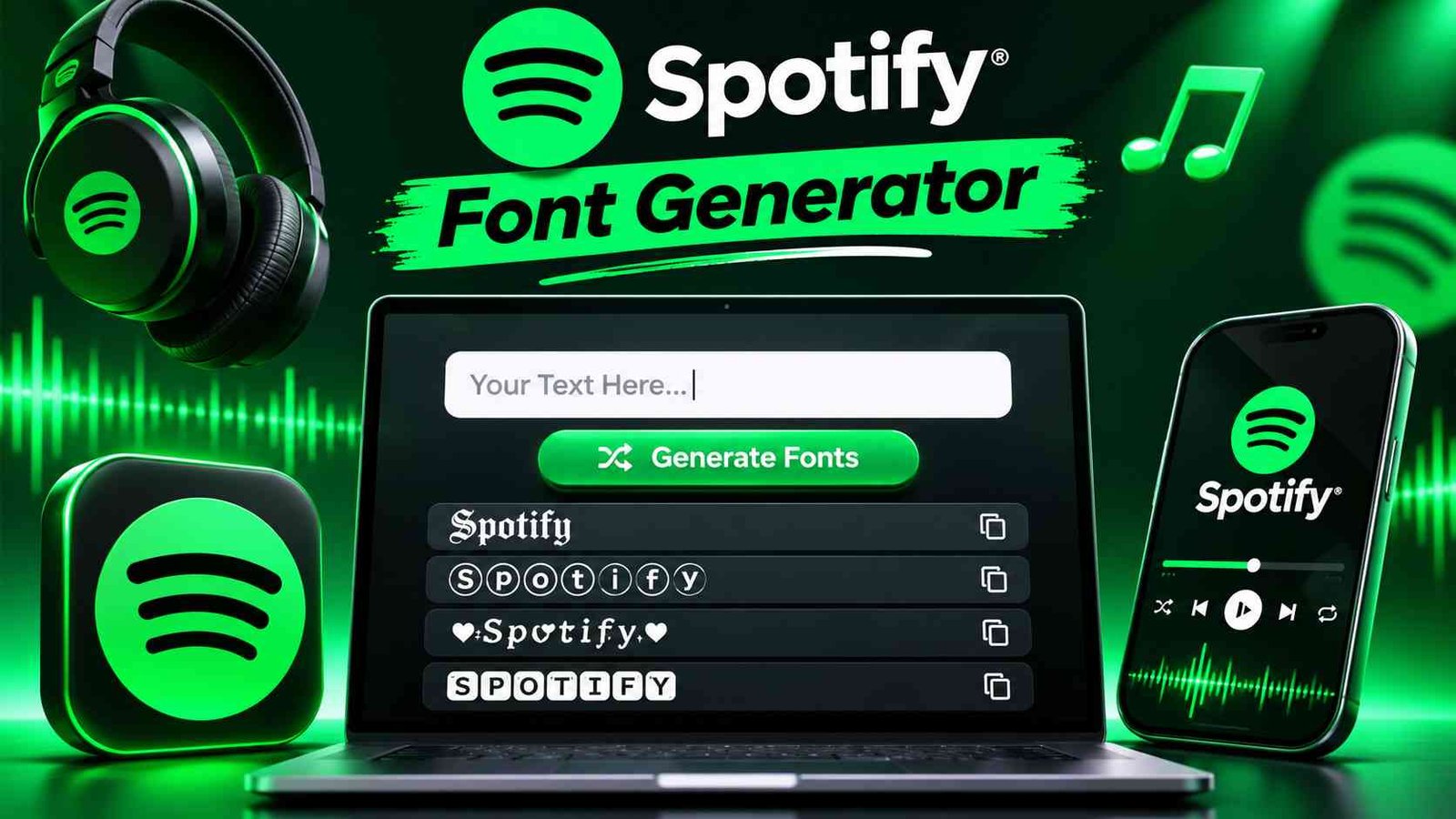
Spotify Font Generator 🎶
Type your playlist name or bio to create instant aesthetic text styles.
A Spotify Font Generator gives ordinary text a music-led identity, helping playlist makers shape stylish text for titles, profile bios, and captions while keeping each message recognizable, readable, and easy to reuse across digital spaces.
Rather than installing a typeface, visitors can browse unique text styles, compare a preview, then copy and paste Unicode text into a playlist name or social profile; results depend on platform support and font rendering.
Table of Contents
How To Use The Spotify Font Generator
Enter a playlist title, username, or short phrases in the input box; check the result before using it as a bio line, caption, or artist name in profile text or messages across your music spaces.
Next, compare styles with the tabs and filter; choose a look that fits the playlist mood, then press the Copy button to put your chosen style on the clipboard for pasting anywhere without extra steps.
Also Read : Cool Name Style 2026: 1000+ Stylish, Unique & Trendy Names
Enter Your Text
Enter your custom text, a song title, nickname, playlist idea, or message, in the input box. Keep wording clear; this beginner-friendly step takes a few moments, helping you get started without setup or design experience.
As you type, consider whether the lettering should suit playlist names, artist names, or social media bios. The text transform preview lets you compare a Spotify-inspired text style before copying it into profiles or captions.
Browse & Filter
Browse available choices to compare cursive, gothic, bold, and bubble text options side by side. Filtering by appearance makes it easier to find a design that suits brief labels or account details with less browsing.
Do not overlook minimal or Monospace choices: they can remain clearer in compact spaces. Explore unique styles, then favor clean readable fonts when your text needs quick recognition across different displays and varied viewing conditions.
Copy And Use It
Choose a result, tap one-click copying, and carry its decorative Unicode characters straight into Spotify playlists, artist bios, or other profiles. This avoids manual formatting and keeps your selected style ready to paste instantly anywhere.
After quick copying, check whether each app renders Unicode text correctly. Keep short messages concise; easy to reuse styles can support social bios and improve a cleaner visual identity on smaller screens across different devices.
Paste Anywhere
After copying a design, place it in a social media post, profile text, or gaming profile without rebuilding the lettering. The same favorite style can personalize a Spotify playlist name or creative message with ease.
Once copied, the text is ready to paste into supported apps; it may appear instantly, although each platform handles Unicode differently. Preview the result before sharing, especially where names or descriptions have character limits there.
Features Of The Spotify Font Generator
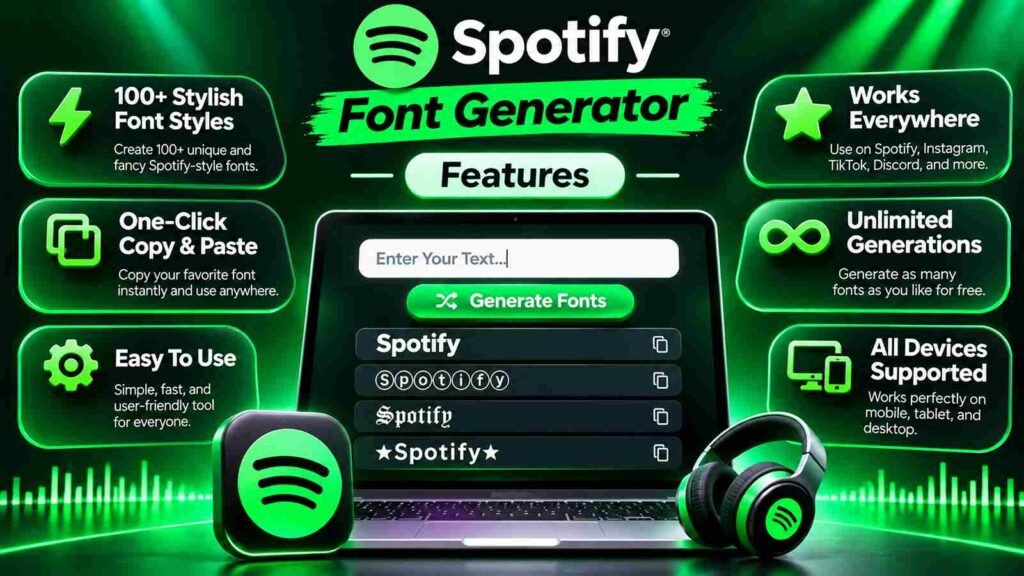
The generator offers 30+ Spotify-friendly looks, from elegant Script and Sans Serif lettering to Bubble designs. This massive variety lets listeners shape names, playlists, and captions around a recognizable musical mood with very little effort.
Instant previews, real-time updates, and no delays make experimentation practical; users can compare a polished font style, then effortlessly copy a favorite with a single click, without signing up on desktop or mobile screens alike.
Creative Text Options
Creative options should offer more than decoration: compare font variations, different fonts, and Unicode font styles to give playlist titles, artist display names, and profile names a recognizable voice without changing their message online.
Pair creative text with styled text details such as music emojis or text symbols, then preview options beside artwork and captions. Choose a distinctive look that remains readable and matches the track’s mood across platforms.
Also Read : Karan Stylish Name – 1000+ Cool, Fancy & Unique Names
Instant Generation
Instant generation matters most when results appear instantly, letting creators compare generated versions during a playlist update. A quick preview and narrow results make it easier to select an aesthetic that suits the intended profile.
An optimized generator with smooth performance helps mobile users preview stylish text quickly. Its interface keeps attention on the result, while a music emoji or suffix adds detail without demanding extra editing during profile updates.
One-Click Copy
One click should preserve the style you selected, not send you through another menu. Choose a generated styles preview, tap copy, and keep the copy and paste result ready for use anywhere without extra steps.
After copying, place the text in Spotify playlist names, Instagram bios, or Discord messages; check readable fonts on small screens, because unusual characters may display differently across apps and older devices before sharing it publicly.
Works Everywhere
Because the output uses Unicode rather than an installed typeface, the vast majority of social media platforms, messaging apps, and modern websites can display it without requiring users to download a font or install software.
Still, strict character filtering may affect profile bios, playlist names, or captions, while very old systems can show unsupported glyphs as boxes; checking the result on another device is a sensible final test before publishing.
Also Read : Rajpoot Stylish Name: 1000+ Royal, Cool, Unique & Attitude Names
Stylish Interface
A clean dark-mode interface makes the Spotify Font Generator comfortable to explore, while a signature green accent color gives controls a familiar Spotify-inspired character without copying the app’s protected wordmark or icon and official logo.
Typography choices can echo the brand’s Circular and Gotham Medium influences, yet useful previews depend on balanced Font Color, Background, Opacity, and Letter Spacing, not decoration alone; subtle Gradient or Shadow effects should remain restrained.
100% Free
The Spotify Font Generator is 100% free: no signup or no account is required; create font styles whenever you need, without installing software or a complicated setup process, keeping everyday styling simple for music lovers.
Try stylish text on profile labels or playlist titles, then copy and paste your preferred result; there are no limits, and access remains without any cost for personal customization across supported apps and devices alike.
Music Emojis Only
Music-only decoration works best when every mark supports the listening mood. Add 🎧, 🎵, or ♫ beside shared playlists, then keep surrounding wording clear, balanced, and consistently easy to recognize at a glance across apps.
Choose music-type emojis to keep profiles on-theme; the aim is no generic decor, with symbols used sparingly. A single 🎙️, 🎸, or 🎹 can distinguish bios and playlists without obscuring names on smaller phone screens.
Notes & Instruments
Notes and Instruments work best as subtle musical cues, not decoration alone. In music playlists, they can signal a listening mood, helping a title feel specific while remaining readable beside familiar artist names and performers.
Before saving a design, test how each symbol sits beside artist details; match the vibe of the collection, then check that displays as expected on your chosen device and within short bios without crowding layouts.
Also Read : Ayesha Stylish Name: 1000+ Cute, Fancy, Unique & Trending Names
Playlist Name Upgrade
A playlist name should signal its listening purpose before someone presses play. Turn study mixes and workout tracks into memorable labels that reflect the mood of seasonal playlists without making the title difficult to scan quickly.
For stronger recognition, match artist-inspired sets with mood-based collections, then choose stand out wording that feels natural beside related playlists. Distinct naming helps listeners identify a collection quickly and recall its atmosphere later without confusion.
Profile Friendly Text
A profile should signal musical identity before a listener opens a playlist. Combine personality, music vibe, and visual style in concise profile notes or creator bios, helping visitors recognize your taste immediately without extra explanation.
Choose readable lettering for display names, then use decorative text sparingly. A short bio can express music taste across social media, staying clear on any platform even when viewed on smaller screens, while looking polished.
Also Read : Spotify Mix
Simple Creative Control
Simple creative control starts with your own text: stylize a playlist title, test a minimal or playful look, and compare bold options until the result matches your personal music identity, without changing meaning or readability.
Instead of accepting one preset, scroll through the list of generated fonts, judge each feeling, then use one-click copying to apply the chosen style to bios, playlists, or captions, while keeping names clear and readable.
Where To Use Spotify Fonts
Spotify fonts suit video descriptions, posts, and channel names, while a professional touch can polish documents or presentations. Add unique nicknames on gaming platforms when your music identity travels beyond playlists to new spaces online.
Use Instagram, TikTok, Discord, or X for lyric-inspired captions, favorite song lines, and short notes. Independent artists, DJs, and curators can maintain a consistent aesthetic across profiles, fan pages, and short promos for releases online.
Elevate Your Online Presence
A Spotify profile needs more than attractive artwork. Styled text creates a sharper first impression, gives your music profile an expressive voice, and makes your dynamic digital identity consistent online across playlists and music communities.
Use standout styles selectively in music bios, a distinctive username, and captions; match each aesthetic direction to your audience and tone. A readable accent adds flair without obscuring song details or profile navigation across platforms.
Social Media Bios
A social bio should reveal your listening personality without becoming a track list. Add music bios to your music profile, then shape a concise display name with copy-ready lettering that feels recognizable across social platforms.
For captions and profile introductions, combine eye-catching headlines with personalize messages that match each platform’s tone. Keep wording brief, test the result on devices, and make sure your bio remains easy to read clearly everywhere.
Spotify Playlist Names
An effective title signals a playlist’s purpose. Pair mood collections with chill mixes, or give party playlists and gym sets distinct identities through stylized text that stays readable and expressive for almost every listening mood.
Keep wording concise so names and titles remain readable on small screens. A subtle style can add more character and make a collection easier to notice, while familiar wording helps listeners recognize its mood quickly.
Captions And Quotes
Spotify captions feel more personal when their lettering matches the mood of a playlist. Use cursive, bold, or italic styles to decorate short music descriptions, expressive quotes, and memorable song titles.
Pair cute or fancy lettering with concise status updates, a thoughtful message, or cool wording. Check unusual Unicode characters before sharing captions across platforms, since some styles may display differently on phones, tablets, and desktops.
Usernames And Nicknames
For a Spotify profile, build a memorable display name with nicknames, prefixes, or suffixes. Test Unicode fonts against your music identity, keeping the wording readable so friends can recognize it across devices and playlists easily.
Instead of copying a crowded trend, choose aesthetic lettering that feels personal and looks intentional. A distinctive display name can help you stand out among friends, while remaining easy to search, share, and remember later.
Messages And Statuses
Short Spotify messages can give a listening update a recognizable mood without turning a simple status into a crowded design. Use accents or decorative styles sparingly, keeping the message readable and personal for friends online.
When posting music announcements or brief thoughts in a social feed, test the copied result before you share; a little emphasis can help key words stand out while preserving a clean, practical message across screens.
Creative Branding
Strong branding does not require copying Spotify’s identity; it requires a consistent visual voice. Pair a distinctive brand typeface with restrained Spotify green (1DB954) only when appropriate for playlists, profiles, and campaign graphics across platforms.
Treat the logo font as a reference, not a template: Spotify’s trademark and Spotify Mix belong to its identity. Build layouts with a modern design language, then repeat spacing, color, and typography consistently across touchpoints.
Song Titles And Bios
A distinctive song title can set a playlist’s mood before listeners press play. Use a stylish Unicode treatment sparingly, keeping the track name recognizable and readable across profiles, search results, and shared links on phones.
For artist bios, pair clean fonts with a short description, genre cues, and a memorable identity. A subtle music-type emoji can add character, while clear wording helps new listeners understand your sound quickly online.
Why Use This Spotify Font Generator
Choosing Spotify text style is less about decoration than usability: this mobile friendly, fast, reliable generator supports quick use while editing a playlist, helping names and bios feel intentional with little setup on any device.
Your privacy matters: text is processed in your browser, not stored, and no sign-up is required. Music-type emojis and Notes give playlist titles personality, while creative control keeps results readable across profiles and bios too.
Mobile Friendly
On Android and iOS, the tool makes styling convenient on any screen. Its fast, easy to use workflow lets you preview and copy text without unnecessary steps or extra friction for daily online profile edits.
A mobile app interface is not required: the Spotify app can display copied characters through its existing system font and rendering support, while a Unicode workaround helps preserve appearance across devices during everyday mobile use.
Clean Copying
Clean copying matters because a Spotify Font Generator should preserve each selected character exactly, letting you transfer style text into playlist names, bios, or messages without extra symbols or broken spacing. No downloads are needed.
After copying, paste a sample into the intended field and review spacing, symbols, and readability. This small check keeps profile personality consistent across devices while saving time for playlists, bios, and chats without extra editing.
Music Emojis Only
A music-focused profile can feel more intentional when its decoration follows one theme. Use 🎷, 🎵, and 🎺 beside a playlist title to signal mood without adding visual clutter or distracting unrelated characters to readers.
For a consistent look, pair 🎹, 🎧, 🎻, 🎶, 🎤, 🥁, and 🎸 with short labels; keep no random symbols around them, so each emoji reinforces the musical identity clearly across profiles and playlists online.
Privacy
Privacy matters when using an online text generator: enter only the text needed for styling, and avoid sharing passwords, private playlists, account details, or personal messages; decorative lettering never requires sensitive information from your account.
Before copying results, review the site’s privacy notice and check whether entered text is stored, logged, or transmitted. Prefer tools that explain data handling clearly, offer free access without signup, and let users leave easily.
Fast & Reliable
Fast results start as you enter text: the font generator can generate previews with no loading, letting you choose a look and work smoothly while updating a profile on Android, iOS, Mac, Linux, or PC.
Speed matters only when output stays useful: universal compatibility supports the best experience on mobile and desktop devices, while no selection keeps polished text style ready for quick sharing without extra steps or complicated formatting.
Try The Spotify Font Generator Now!
Your playlist identity can go beyond familiar lettering. Try now: enter a title, test stylish variations, and choose a look that helps your music collection stand out without changing Spotify’s actual interface or account settings.
This great tool makes Spotify-style text generation accessible to everyone; explore unlimited combinations, copy a favorite, and use it free forever for playlist ideas, profile details, or music conversations whenever inspiration strikes, on any device.
Conclusion
A Spotify-style generator does more than imitate the Spotify logo: it complements a music streaming service, helping listeners discover new music and personalize playlist names, bios, and captions across their favorite platforms with distinctive styling.
Choose beautiful fonts, test special characters, or add a music emoji prefix such as ♪; this free alternative keeps text expressive, while devices may show fallback characters differently across apps and screens on older phones.
Is The Spotify Font Generator Free To Use?
Yes, the Spotify Font Generator is free to use. You can create, preview, and copy stylish text without hidden fees or subscriptions, making its available features accessible to everyone whenever you need a quick design update.
Can I Use Spotify Fonts On Other Platforms?
Most generated styles can be copied into Spotify playlist names, bios, and other text fields, but compatibility varies. Some devices or apps may show blank squares or question marks; test your text before sharing it everywhere.
Are Spotify Font Generator Styles Actual Fonts?
No. The generator usually converts regular text into Unicode characters that resemble fancy fonts. These are not installable .otf or .ttf files, so you do not need to download or install a custom font file.
Why Is It Called A Spotify Font Generator?
The name refers to styles inspired by Spotify’s smooth design aesthetic and music-focused app experience. It is an independent text generator, not an official Spotify tool, and it does not change Spotify’s interface fonts online.
Can You Change The Font In The Spotify App?
You generally cannot replace the Spotify app’s built-in typeface with generated text. However, you can use compatible Unicode styles in supported text fields; keep labels readable and consider screen readers and accessibility before choosing decorative characters.

1 thought on “Spotify Font Generator – Create 100+ Stylish Fonts”