
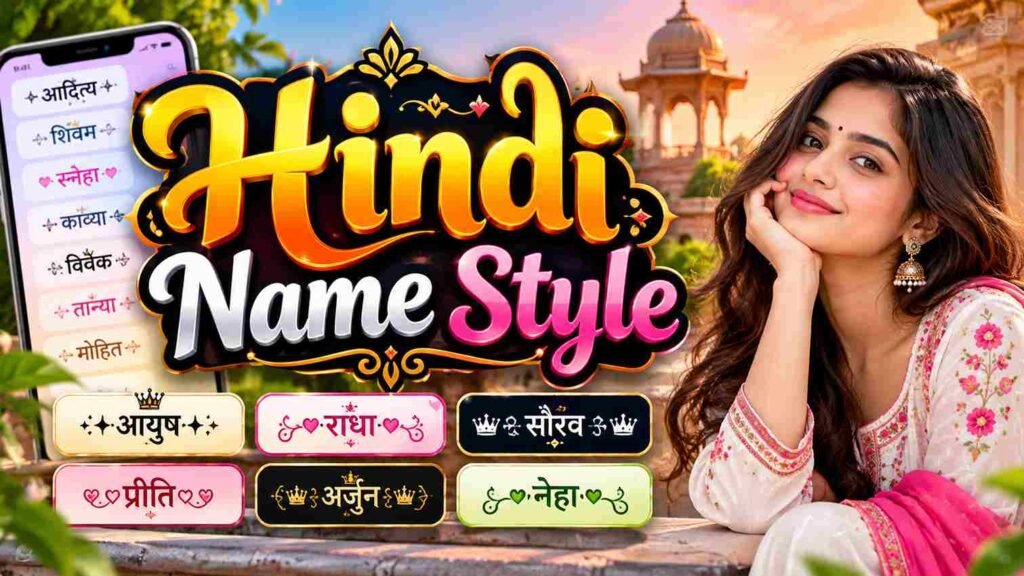

✨ Ultimate Hindi Name Style Generator
Type your name below to instantly generate stylish, royal, and gaming nicknames!
Hindi Name Style gives names a distinctive look through Devanagari, decorative lettering, and thoughtful spacing. Choose stylish Hindi names for boys names, girls names, or a nickname, depending on the identity you want to express.
Use a fancy Hindi name or calligraphy name for an Instagram bio, WhatsApp status, or social media username; check how designs appear before you copy and paste them, particularly when symbols accompany the chosen style.
Table of Contents
About Hindi Name Style Generator Tool
A Hindi Name Style Generator Tool turns a name in Hindi or ordinary Hindi text into stylish Hindi fonts. Users can type in English, paste words, and inspect a preview before saving a result online.
For finer control, users may adjust font size, explore multiple fonts, compare styled font previews, and select Download PNG for an image with a transparent background; optional Unicode input helps retain readable Hindi across platforms.
Also Read : Ayush Name Style – 100+ Stylish Fonts & Cool Symbols
How To Use The Hindi Font Style Generator Tool
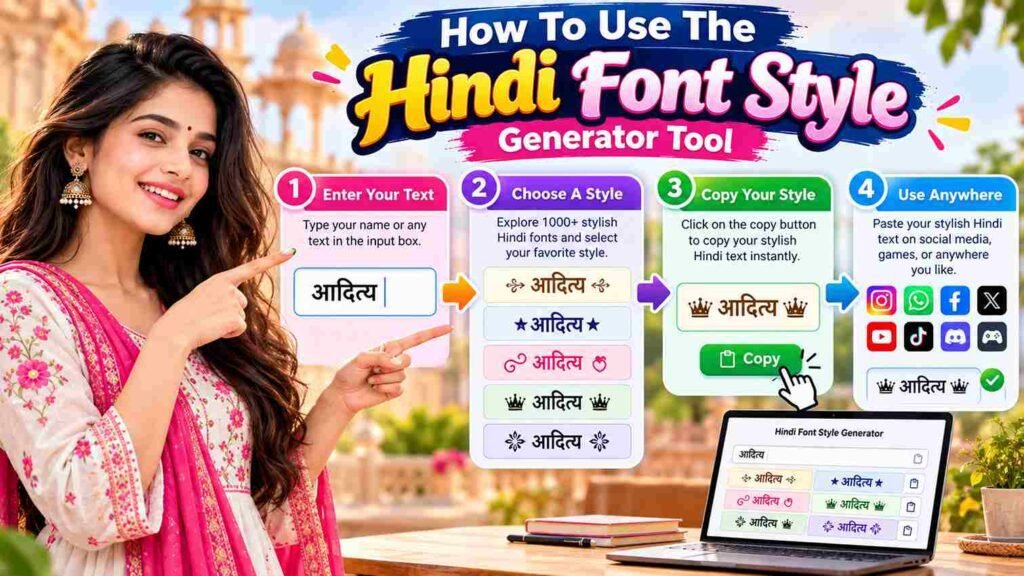
Open the Hindi Font Style Generator online tool; type in English or paste Hindi text into the first text box. Option 1 keeps input directly; Option 2 can automatically translate English text for styling quickly.
Finally, use the font size slider, increase or decrease lettering, choose text color and background color, then preview a variety of AMS-styled Hindi fonts; save your version for posters and banners or social media graphics.
Step 1: Enter Your Text
Start by typing the name, greeting, or phrase you want to style into the input field. Hindi Unicode preserves Devanagari characters, while English input may produce a different result depending on the tool’s language support.
Before generating anything, check spelling and spacing; a name such as namaste should remain distinct from नमस्ते unless you intentionally want auto-translated output. This simple check helps your chosen Hindi font styles stay visually accurate.
Step 2: Adjust Style Settings
A stylish name depends on purpose, not decoration alone. Compare traditional fonts, modern fonts, and Calligraphy; then experiment with a wide variety to match Hindi typography to your audience instantly, without making readability suffer overall.
Use the easy-to-use controls to refine font designs and test auto-convert behavior. Compare styled Hindi using sample input text; Hindi Calligraphy may suit personal projects, while simpler choices often work better for professional projects online.
Step 3: Preview In Multiple Fonts
A Hindi Unicode text sample can look different across various fonts, so compare each rendered option before choosing. Check letter shapes, spacing, and readability carefully on your phone as well as desktop screens and apps.
Keep your preferred design beside the original Hindi text, then inspect whether matras, conjuncts, and punctuation remain clear. A style that looks decorative in a preview may become difficult to read after copying when posted.
Step 4: Download Your Design
Save after reviewing the rendered preview: click download to keep the styled text as a standard image, or choose Download Transparent for a version without background when layering designs on profiles or sharing them later.
For reuse, convert results into compatible .ttf fonts when supported; otherwise, keep AMS Unicode text and AMS-encoded Unicode text ready, following the easy steps to preserve output across compatible editors later without losing useful formatting.
Also Read : Devanagari Script
Step 5: Use Unicode Input (Optional)
Unicode input is useful when your name already contains Hindi characters; paste it into the AMS input box only when the tool requests that format, then compare the resulting styled previews before choosing a design.
Treat Unicode AMS text as a format-specific option, not a universal requirement: check the AMS Unicode value when a legacy font encoding system is required; otherwise, ordinary Hindi Unicode may render consistently across modern apps.
Conclusion
Although the tool may label an option Optional, thoughtful Hindi name styling still begins with clear text. A generator transforms names into stylish fonts and Hindi styled fonts, helping profiles express identity while staying readable.
Check AMS Unicode code, compare Indian fonts, then scroll down to inspect beneath each preview, and use the Download Transparent button only when every character renders clearly on your intended platform and device combination consistently.
What Is a Hindi Font Style Generator?
A Hindi Name Style tool transforms ordinary text into decorative Hindi-inspired designs, helping you create attractive names for profiles, captions, gaming usernames, and bios. Choose a style, preview results, and copy your favorite in seconds.
Can I Use English Input And Still Get Hindi Styled Fonts?
Yes. Enter English letters in the second text box, then adjust Step 2 settings or color pickers if available. Preview Unicode designs for Hindi-style names; results depend on supported characters, so check your favorite before copying.
What Is AMS Unicode?
AMS Unicode refers to text encoded or displayed using a particular character system or font workflow. Check the tool’s Unicode AMS Code box instructions carefully before copying, because compatibility can vary across apps and devices.
How Can I Download the Styled Text?
After choosing a design, use Step 3 to preview it in multiple fonts, then select Step 4: Download Your Design. If downloading is unavailable, copy and paste the generated text instead for your chosen platform.
Can I Paste Unicode AMS Text Directly?
Usually, yes, when the destination supports those characters. Copy the styled text from the generator and test it in your target app; some platforms may replace unsupported symbols or show boxes, so check before sharing it publicly.


