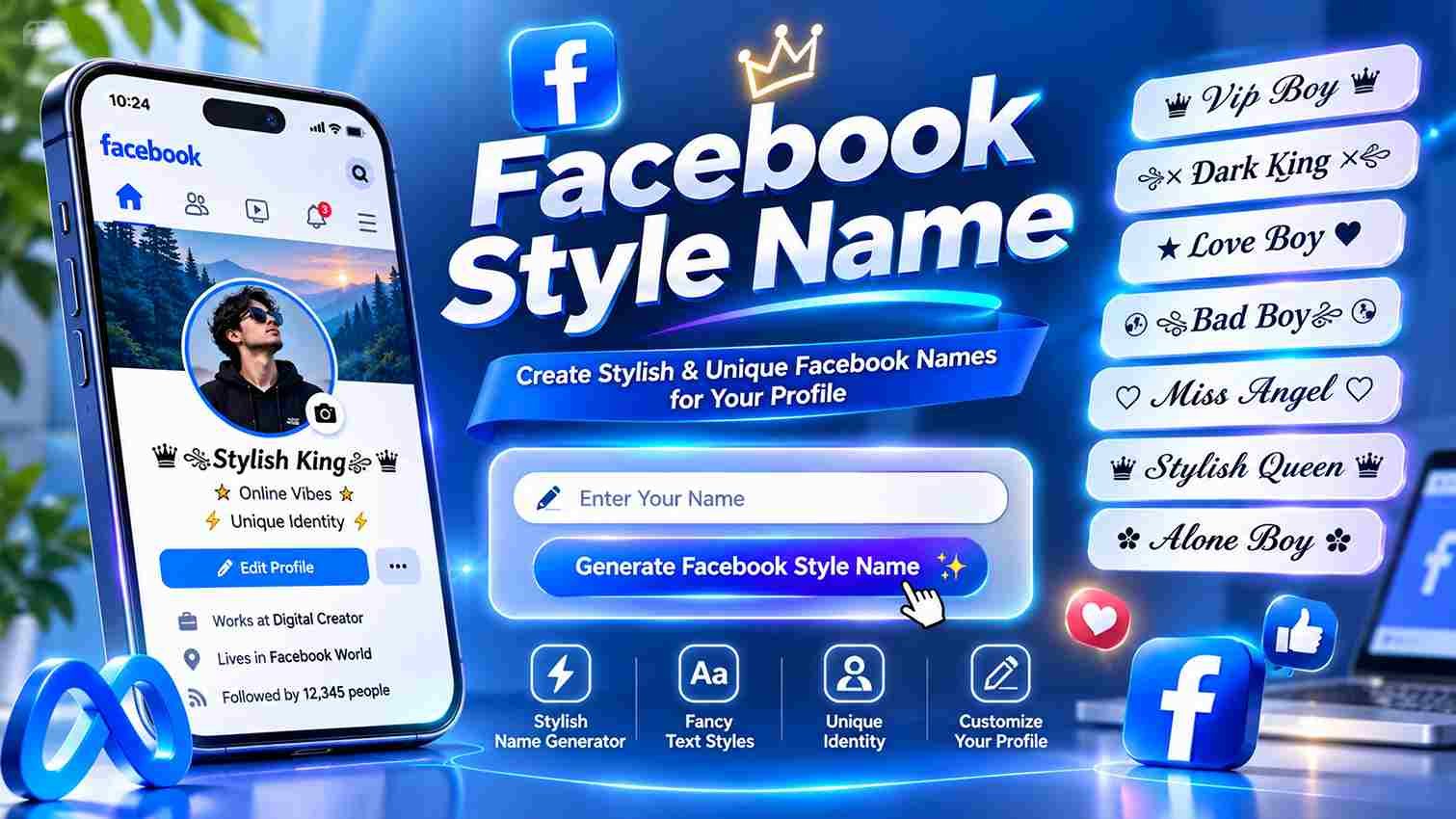
Facebook Style Name Generator
Create stylish, fancy, bold, cursive and symbol-based Facebook names instantly.
Some Unicode characters may display differently on different devices. Facebook may also restrict special characters in certain profile-name fields.
A Facebook stylish name is more than fancy text; it is a practical way to shape a profile, bio, or post captions using Unicode characters, symbols, and cool styles while keeping personal identity readable online.
From testing bold, script, small caps, and font-only options, I find the best results balance readability, same letters, and different looks rather than heavy decoration, especially when a name field must pass platform checks reliably.
Table of Contents
Facebook Style Name Generator
A Facebook stylish name generator prioritizes real name readability over VIP symbols. I recommend clean fancy fonts for a profile name, while bold Unicode lettering makes comments, captions, and status updates distinctive without distracting followers.
Before choosing a design, enter your text in the text box, explore categories, and check the real-time preview. One-tap copy helps with bios, but symbol-heavy names may sometimes be rejected under strict Facebook naming rules.
Also Read : Stylish Name Girl – 500+ Cute & Unique Names (2026)
How To Create A Facebook Style Name (Steps)
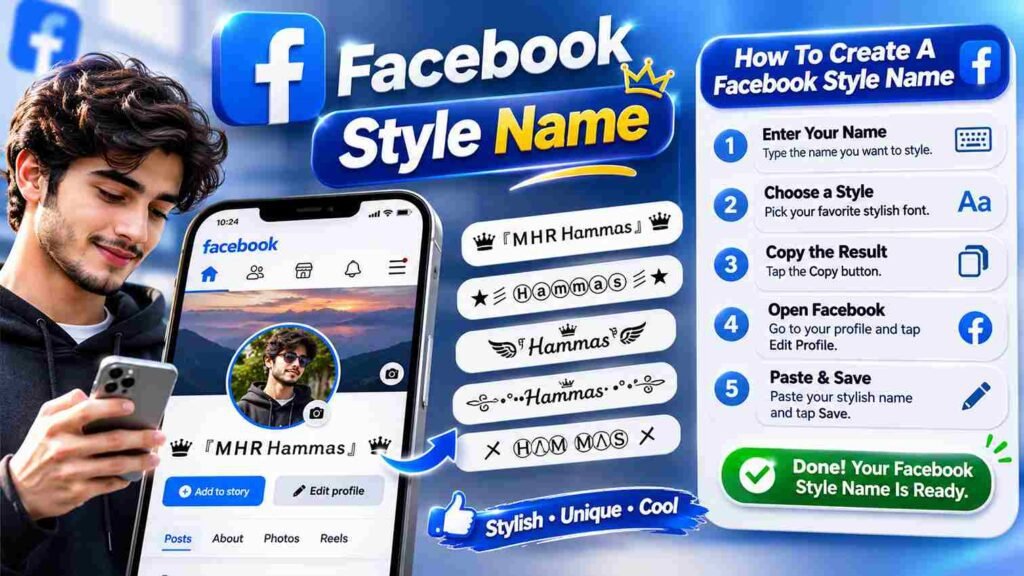
Start with a free online tool: type a name, pick a design, then copy the result. Before you paste, compare Unicode fonts with ordinary lettering; decorative frames may look appealing but fail Facebook’s name checks.
For your Facebook profile, open Settings & privacy, then Settings, Accounts Center, Profiles, and Name. Run a spelling check, use preview and review, then save only after considering the 60-day lock because corrections may be restricted.
Ready-Made Facebook Names (Copy & Paste)
A clean set first often works better than flashy decoration. Try Ali Raza, Fatima, or Hamza in subtle italic letters; recognizable real names remain the safest choice when Facebook checks profile identity during initial approval.
For expressive options, try one small symbol, hearts, or stars around Ayesha and Bilal. Save VIP-style names with crowns for bios and comments; elaborate designs can fail Facebook’s main-name checks even after saving without warning.
Clean Font Names (Best Chance On Facebook)
A plain font style usually offers the smoothest path through Facebook’s real-name policy. Keep your everyday name recognizable, avoid decorative symbols, and treat readability as more important than visual novelty when choosing lettering for profiles.
Before saving, test in the app and keep a plain backup. Clean font styles often appear clearer across devices, yet acceptance is never guaranteed; Facebook evaluates names independently, regardless of apparent simplicity or personal preference.
Lightly Decorated Names
From testing Facebook profiles, lightly decorated styles work best when one symbol, one crown, or one frame supports readable, clean styles; plain letters, font-only styles, and a normal-looking finish often give the best chance overall.
For display names, I recommend a small frame, one or two symbols, and nothing exotic; this keeps style restrained, reduces boxes on older phones, suits family, teachers, and clients, and avoids a noisy over-styled appearance.
Also Read : Yadav Sarkar Stylish Name: 100+ Royal & Unique Designs
Heavily Decorated Names
A striking Facebook identity can feature heavy symbol stacks, frames, and emoji. However, excessive decoration often makes a profile name difficult to read. Creative Unicode letters work better when visual appeal balances readability.
While royal styles attract attention, Facebook naming rules may leave elaborate designs rejected. Consider using posts, captions, or group nicknames instead. For personal profiles, simplify design and prioritize recognizable lettering over excessive decoration.
Style Categories
Choosing between cute fancy style, symbolic fancy style, and small font style depends less on popularity than readability. For Facebook bios, universal characters travel better across devices, while text faces add personality without overwhelming names.
Try heart font style for romantic nicknames, or lines font style to highlight key points in posts. Animated emojis may behave differently across devices; test underline effects before sharing your favorite design with Facebook friends.
How To Change Your Facebook Name
Before choosing a different style, preview carefully: Facebook generally allows one change within 60 days. Open Settings, visit Accounts Center, select Profiles, choose your profile, then Name; enter your everyday name and review it carefully.
If the request is refused, remove symbols and extra spaces; a letters only version is usually safer. Confirm the spelling before saving, because the lock starts when saved, making immediate corrections difficult for many users afterward.
Facebook Name Rules
A decorated profile may look appealing, yet Facebook’s everyday name policy favors authentic identities. For a name check, first remove unusual symbols, numbers, mixed scripts, and titles before entering anything in the main name field.
When a font-only version fails, try ordinary lettering rather than repeating submissions. Remember the 60-day lock after a name change; use an other-name field for suitable nicknames, while businesses use a separate Facebook Page name.
Where Fancy Text Works Best On Facebook
Facebook posts and comments offer much more room for fancy lettering than a Facebook name field. A clean bio can carry small caps or heart-decorated accents, while real names should remain readable and policy compliant.
For a brand page, use decorative lines sparingly in status text and quotes. Content creators gain more from a recognizable voice than crowded symbol names; test older devices before sharing elaborate copy and paste designs.
Also Read : Icy Font Generator – Create Cool Frozen Text Styles
Name Rejected
A rejected name does not always mean your lettering is offensive. Facebook uses automated checks that can behave differently across regions, and accounts differ in review history, so approval may appear unpredictable to different users.
Before retrying, simplify the design and consider timing: your friend’s name was not flagged previously. If a change lock applies, consult Facebook support rather than repeatedly submitting decorated alternatives that could fail again without explanation.
Can’t Change Name Back
An unexpected downside of a change saved on Facebook is losing the option to restore your previous name immediately. The platform generally restricts edits to once every 60 days, even when the replacement feels wrong.
Before committing, review your spelling and keep a clean version ready. If you cannot change back, check Accounts Center for eligibility later; meanwhile, an additional nickname may help friends recognize your profile without another edit.
Boxes On Some Phones
Seeing empty boxes instead of bubble letters rarely means your broken name was copied incorrectly. Usually, device fonts cannot draw a missing character, especially on budget devices with small font sets during everyday Facebook browsing.
Tofu often appears on a friend’s phone when the device lacks characters used in glitch text, zalgo, or rare symbol stacks. Prefer common symbols and safest styles; preview your display name across phones before publishing.
The Name Looks Broken On A Friend’s Phone
Your friend’s phone may show tofu squares because a missing character cannot display correctly. This is common with symbols, especially on older devices; even attractive Facebook names can lose readability between screens without warning.
Before changing your profile, test its appearance on an old phone. Friends report boxes more often with decorative icons than bold Unicode letters. Choose a bold version with reliable fallback for clearer recognition across platforms.
Privacy & Safety Tips
Before decorating your real name, protect your private life: never share a password, phone number, or home address in public bios. Stylish lettering may draw attention, but account settings determine who sees personal information online.
Check the audience before publishing and trust few unfamiliar requests. Avoid suspicious generators demanding login details or payment; a name design should never require account access. Choose safe, readable characters that display consistently across devices.
Also Read : Number Font Style – 1000+ Stylish Numbers to Copy & Paste
Adding Symbols And Emojis
An attractive Facebook name rarely needs decoration everywhere. Try light frames or hearts around letters around a short nickname, then compare readability. Popular social symbols work better in a profile bio than formal identity fields.
Before sharing, test rare symbols and new emoji on another phone; a display problem can spoil the effect. Keep special characters for group posts, and check Facebook name field restrictions before making permanent changes.
Expert Tips
An effective Facebook name rarely needs ten symbols. Favor less clutter, more lettering, and single-accent frames; test wide full-width letters on every device before committing. Distinctive styling matters less than readability and consistent online recognition.
Before choosing a custom name, compare a clean set with a heavily decorated alternative. Save two or three favorites, check the display on another phone, and remember that Facebook may sometimes reject unusual font characters.
Trending Styles
The latest designs are not always the loudest. I notice cute lettering and subtle heart details gaining attention because they make Facebook names memorable without sacrificing readability, especially when friends browse profiles quickly.
Instead of chasing every trends, compare bubble lettering with old English and wide text options. Save favorite styles before switching; a recognizable name usually performs better socially than an elaborate design nobody can read easily.
Key Features
Unlike basic name tools, this fancy text generator offers 500+ designs across 39 categories, with live update previews and filter styles controls. You can compare readable options before copying, rather than choosing decoration blindly too.
For faster sharing, browse ready-made names, select a clean Unicode option, and use the copy icon to send it straight to your clipboard. No sign-up is required, but Facebook may still reject unusual profile characters.
Also Read : Spotify Font Generator – Create 100+ Stylish Fonts
Different Styles
Different Facebook name styles serve different purposes: cute lettering softens a profile, while medieval shapes create drama. In practice, small accents often stay readable; elaborate symbolic framing can visually distract from the actual name.
Compare the same text across style categories before choosing. Short lines suit understated profiles, while gothic fonts, crown symbols, and no-symbol styles fit distinct moods. Always check readability before copying a design directly to Facebook.
Facebook Status, Bio & Quotes
On Facebook, status updates benefit more from readable Unicode text than elaborate decoration. I usually keep bio lines short, then test emojis sparingly; a striking finished design means little when friends cannot easily read it.
Quotes work differently: a single sentence can carry personality without turning every paragraph into decoration. For brand pages, I favor one font and restrained symbols so the feed stays recognizable across different mobile devices.
Name Browsing
Browsing recently used options often reveals stronger choices than chasing whatever looks popular. I compare short designs with nickname styles, then check favorites for names that remain readable across different screens and contexts in practice.
An appealing result means little without availability. Rather than copying a taken name, try a variation of a name you love. Review saved designs and copy counts before choosing something recognizable over flashy alternatives online.
Facebook Page Name Vs Profile Name
A polished Page title cannot rescue a confusing identity. Facebook fan pages represent communities or brands, whereas personal profiles follow a real-name policy intended to make people recognizable and discourage misleading accounts at first glance.
The distinction matters when choosing name fields: a bakery should identify its business on a Page, not disguise its owner’s profile. Keep decorative lettering in posts or bios instead of risking rejection during Facebook review.
Also Read : Facebook Name Policy
Conclusion
A memorable display name is not necessarily the most decorated one. For Facebook, clarity protects your identity, while thoughtful styling gives a bio personality. Test unfamiliar characters before sharing, especially across older phones and tablets.
Rather than chase every fashion, read aloud your chosen wording and check how it appears beside posts. A name generator helps explore options, but consistent presentation and respectful choices build recognition over time on Facebook.
How Can I Create A Stylish Facebook Name For Free?
Use a free Facebook stylish name generator to type your name, choose a category, and explore 100+ fonts. Simply copy and paste your favorite design into supported Facebook sections without no sign-up requirements or payment.
Can I Use Fancy Fonts And Symbols In My Facebook Profile Name?
Facebook allows stylish text with limits. Some Unicode fonts, rare characters, and decorative symbols may be rejected. Choose safest fonts for your profile, while using creative designs in bios, posts, and comments.
Why Is My Facebook Stylish Name Showing Boxes Or Getting Rejected?
Your device lacks character support for certain Unicode symbols, causing empty boxes. Facebook may also reject a particular font that violates naming rules. Try simpler designs that render almost everywhere for better compatibility.
Can I Generate Unlimited Stylish Facebook Names Without Installing An App?
Yes! You can generate and copy unlimited names using a browser-based fancy text generator. Enjoy hundreds of styles, no apps, no login, and no registration, making customization simple across supported platforms and devices.
What Are The Best Trending Facebook Stylish Name Designs In 2026?
Popular 2026 trends include royal style, king, queen, attitude, heart, and star designs. Explore ready-made designs, Bold category options, and adorable styles to create attractive social profiles that stand out online.